
(Uncovering the Magic: “Alice and the Hidden 150” Book Launch PBS – is like coming home)
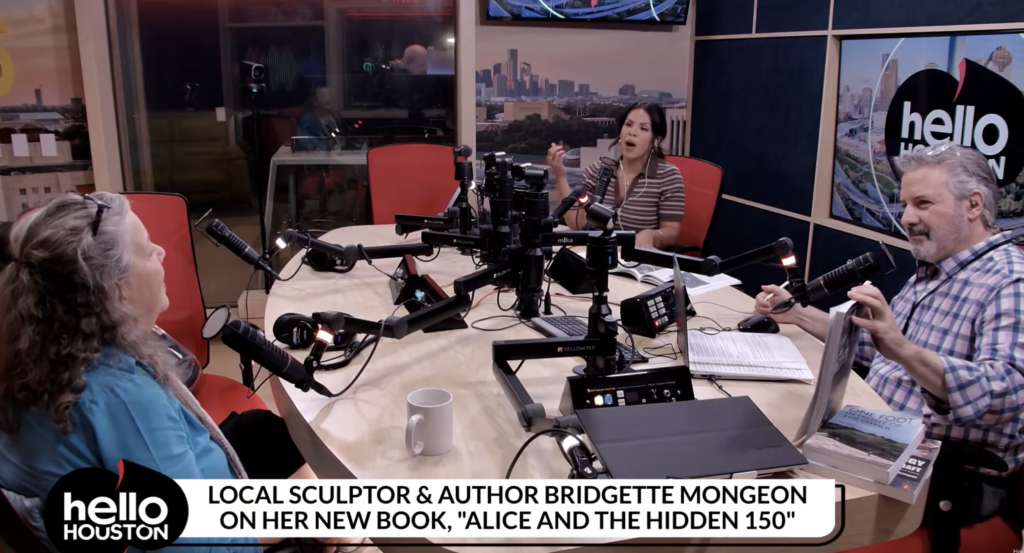
PBS "Hello Houston" segment August 18, 2026
The installation of the sculpture in Evelyn's Park 2018
Bridgette Mongeon sculpting the Alice in Wonderland Sculpture
First segment. 2016
To beat the intense Houston summer heat, we are also hosting select, exclusive book signings inside private homes. If you are interested please let us know. Stay tuned for upcoming events and more unique opportunities to celebrate art, literature, and the timeless magic of Wonderland.
Bridgette Mongeon's first segment on PBS
Date known 1986?
Presenting at the Lewis Carroll Society of North America

You might be thinking, “But I’m nowhere near the sculpture—how will I spot the hidden surprises?” No worries! If you’re a Lewis Carroll fan, you’ll recognize half of them already. Plus, Curie has sprinkled keys throughout the book to help you on your hunt.
I’m excited to be presenting alongside Jules Oami—a Los Angeles–based content creator and the creative mind behind @fortheloveofalice_!
A Few more things
- If you’re posting on Facebook or Instagram about your Alice adventures, the book, or visits to the sculpture, please tag me!
- Got a group interested in a book signing or special event at the sculpture? Let me know! For larger gatherings, we can even reserve a table Betsy’s restaurant at Evelyn’s Park to make it extra special.
(And don’t worry—an intimate group of 10 or more is perfect!) - Want to have a group to your home or group for coffee, talking about Lewis Carroll and the book? I'm in. Let's book it.
- Do you want a zoom presentation? We can do that.
- If you’d like to review the book or know someone who might want to write a story about it, reach out—I’d absolutely love to connect!
Press Release: Discover the Secrets of “Alice and The Hidden 150”
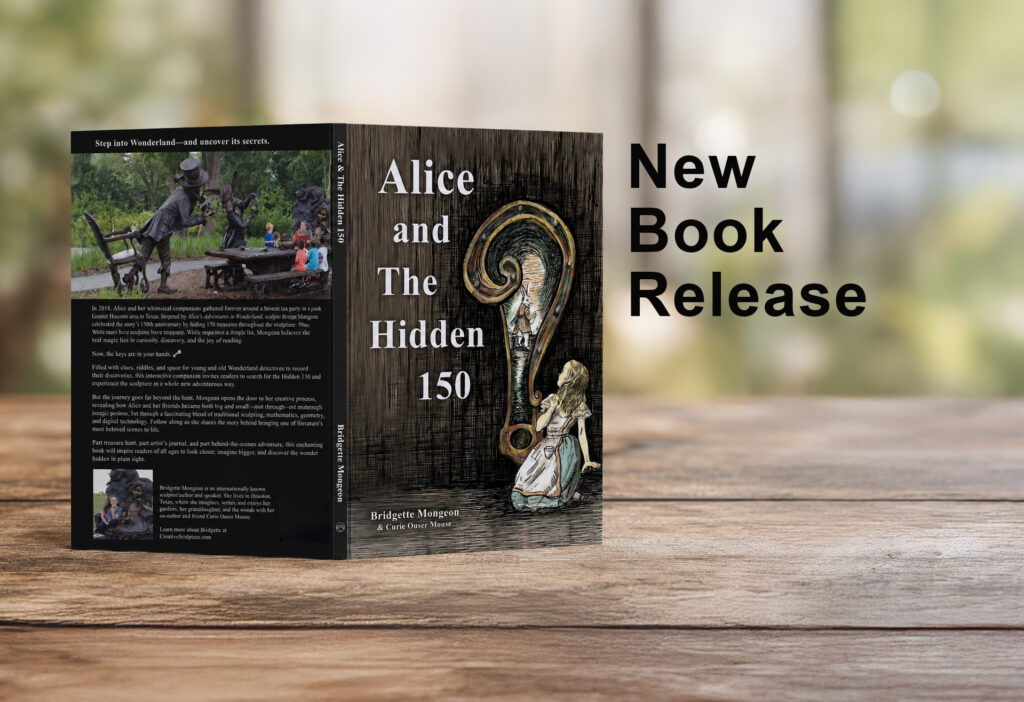
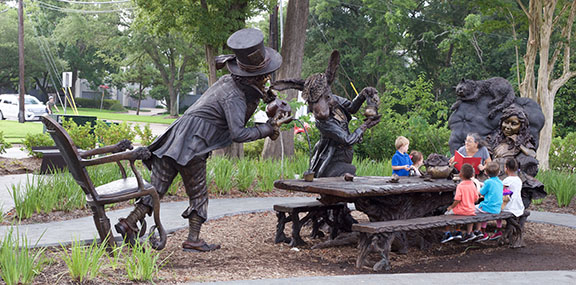
But did you know there’s a hidden adventure waiting to be discovered within the sculpture? Acclaimed sculptor Bridgette Mongeon has masterfully concealed 150 unique objects within the sculpture—a dazzling tribute to the 150th anniversary of this beloved story of Alice's Adventures in Wonderland. For years, the secrets of the 150th have generated buzz, drawing families and fans into a whimsical quest for clues each time they visit Evelyn’s Park.

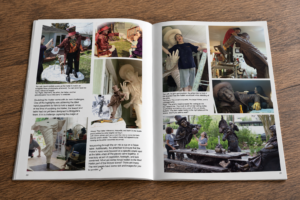
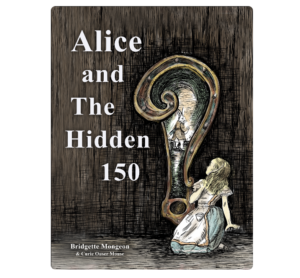
Many have asked Bridgette for a list, but she preferred to foster curiosity and literacy. Now, for the first time, Mongeon unveils the mystery in her captivating new book, Alice and The Hidden 150—a must-have for adventurers, art lovers, and dreamers. Dive into interactive games, jot down your discoveries, and join the whimsical Move One Place On club, a playful challenge inspired by the sculpture. Although many secrets are revealed, piecing them together remains a delightful challenge, keeping the magic alive for readers and explorers.
But the adventure doesn’t stop at the treasure hunt! Mongeon also lifts the curtain on her artistic process, showing how Alice and her friends transformed—not with mushrooms and potions, but with a dazzling fusion of traditional artistry and cutting-edge digital art.
Part treasure hunt, part artist’s journal, and part behind-the-scenes adventure, Alice and The Hidden 150 is an invitation to wonder—a journey that will spark the imaginations of readers young and old and become an unforgettable experience for the whole family.
For more information, more further photographs or to contact the sculptor for an interview please contact Bridgette through her contact form.
It’s Here! My New Book- Alice and the Hidden 150
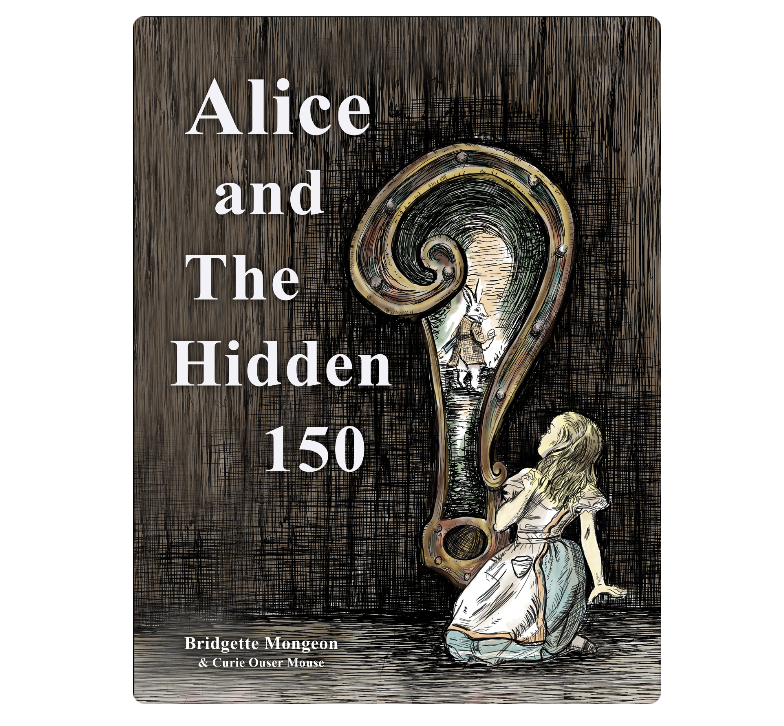
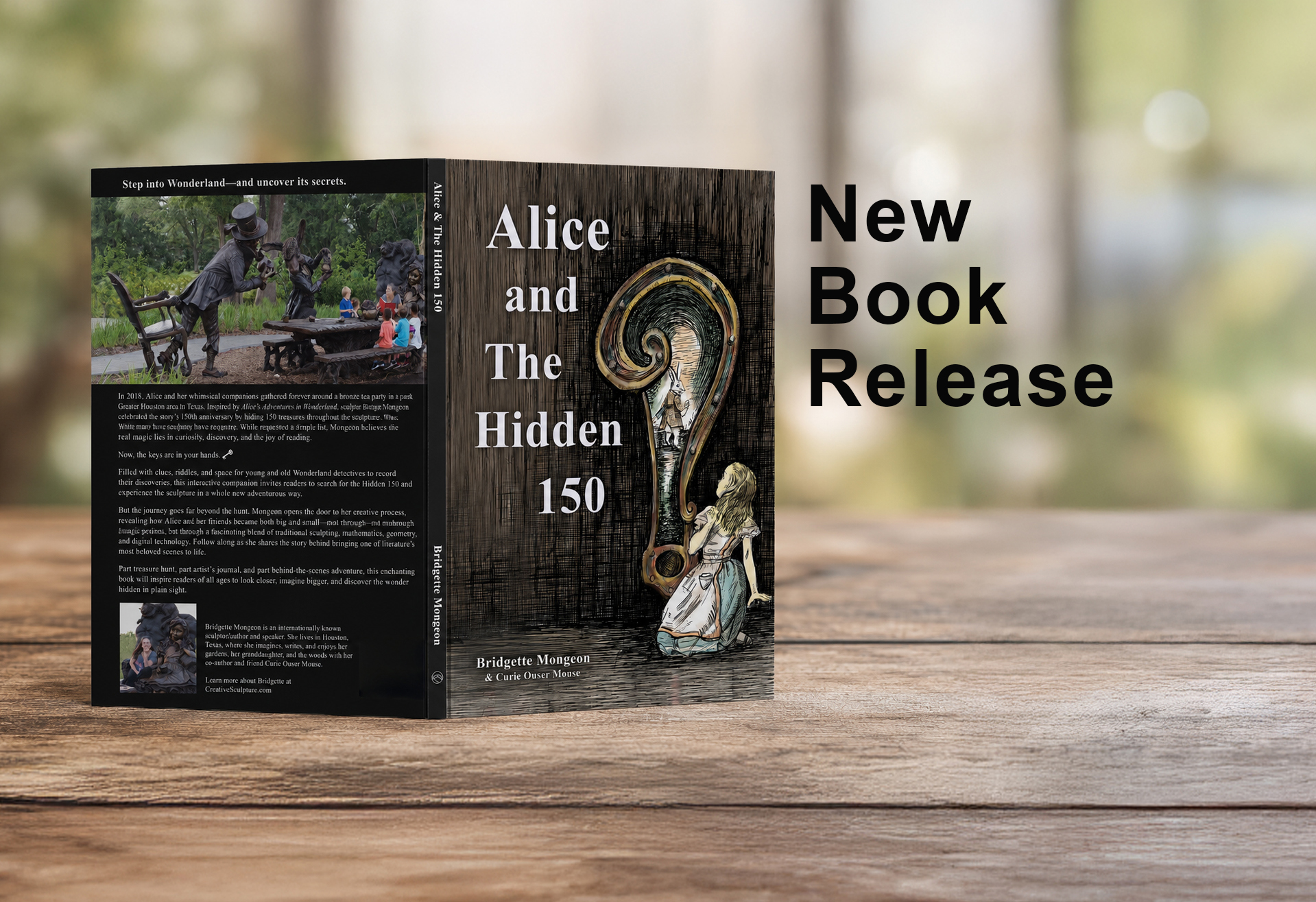
If you’d like to host a book signing at your event or neighborhood, or to meet as a group in the park, I would be delighted to do so! Please reach out through my website’s contact form.
And here’s a little secret: I’m turning some of these hidden objects into Christmas ornaments, with one or two new designs released each year—more details on that soon! For now, the book is available on Amazon and possibly at your local retailer. If you know a small bookshop that might be interested, please ask them to carry the book and let me know—I’d love to visit and present. Happy hunting, and may your adventure be wonderfully curious!
“Jack of All” or “Renaissance Woman?”
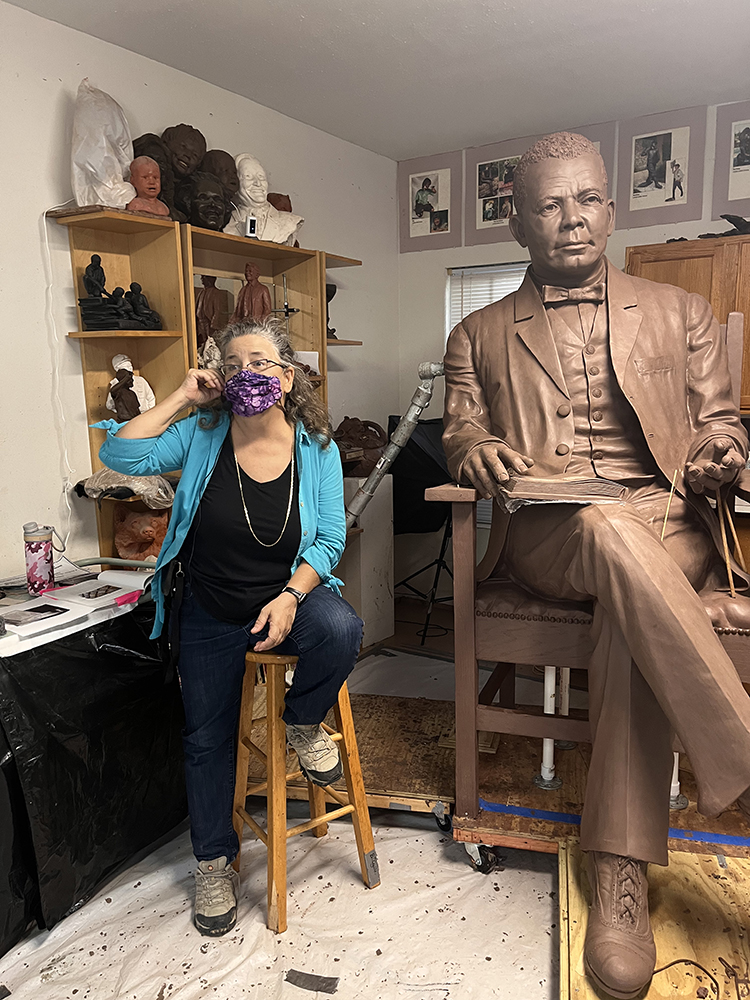
When I was a young, creative soul, I believed I had to choose one career or goal and stick to it. While there is merit in dedicating a lifetime to mastering a single craft, I grew up with the saying, “A jack of all trades is a master of none.” However, the full version of this saying is, “A jack of all trades is oftentimes better than a master of one.”
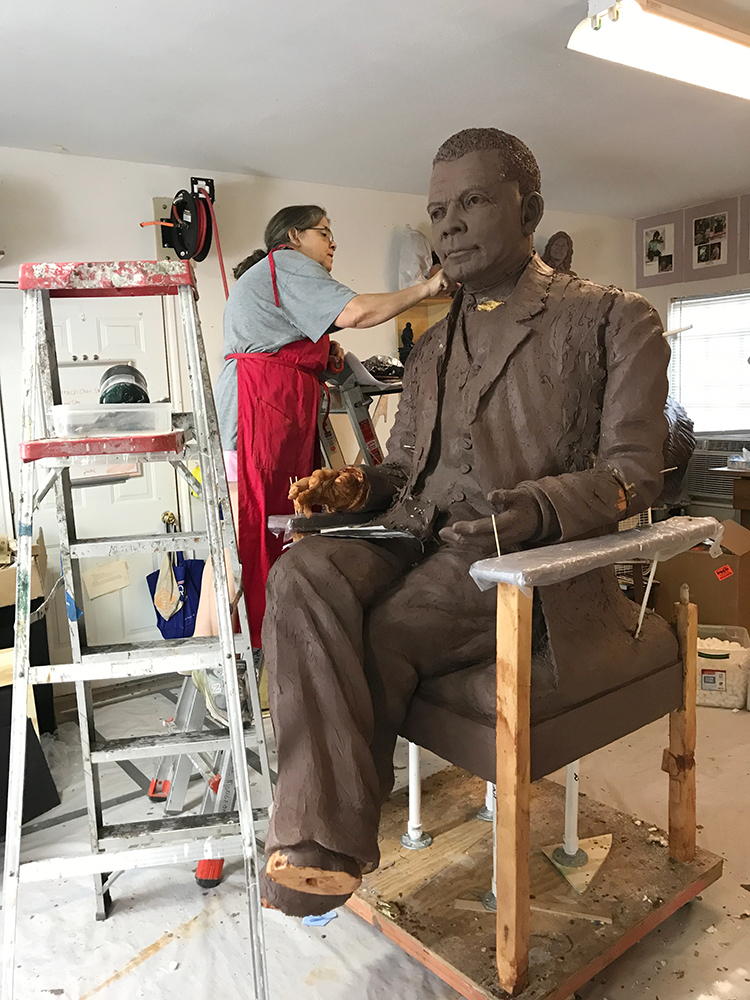
Long ago, this phrase was intended as a compliment, but today it is often seen as an insult. I must admit, I truly appreciate having a jack of all trades as a friend since they tend to be knowledgeable and helpful in everyday life.
Compared to the jack of all trades, the Renaissance man or woman carries a more romantic and positive connotation. A Renaissance individual also possesses a wide range of talents but is typically regarded as cultured and educated. Many people have referred to me as a Renaissance woman on several occasions. I have numerous interests that seamlessly intertwine my mind, body, and life. For instance, I am passionate about helping others and caring for the earth. I’m a writer and an advocate for the outdoors. I’m also an artist. Within these disciplines, I have various interests—I write nonfiction books for adults but also enjoy writing for children. I am a traditional sculptor who also works with digital technology in my fine art studio. I love learning new things and use my life experiences to educate both myself and others.
I heard someone in marketing talk about someone like me and say, “Their brand is all over the place; narrow it in.” This comment means they have many things going on, and it is much easier to market and promote someone with one focus than someone like me who is all over the place. But it is who I am. Again, it goes together in my head, and it somehow goes together in marketing or gives me a lot of venues for marketing, for example. I can talk about my Alice in Wonderland monumental bronze sculpture in Evelyn’s Park in Bellaire, Texas, but also how I use digital technology to get there, such things as 3D scanning, CNC Milling, and 3D printing, as well as digital preservation. I can talk to children about the sculpture and the fanciful nature of the 150 things I hid there in honor of the 150th anniversary of the story and talk about literature while also focusing on geometry in the computer or STEAM education, Science, Technology, Engineering, Art, and Math. I can talk about my published books on the subject and even the planned books. So, though it is “all over the place,” it weaves together marvelously in my head, and I can speak to audiences for children or adults, education or art, or have fun with the audience. I can use it for an art audience or even engineering and technology. The marketing standpoint may be too wide for some, but for me, I have enhanced the reach
I recently finished a memoir titled “One Foot In Front of The Other: Art, Hiking and Healing.” It is set to be published on Amazon in early 2025, with audiobook and Kindle versions to follow soon after. While writing this book, I stepped away from my life to view it in its entirety. I realized how all the pieces fit together. I liken this experience to examining a tapestry up close, where one can’t see the overall picture—perhaps even seeing the back with strings going every which way. Yet, when you step back to view the front of the tapestry, the individual colors blend beautifully to create a cohesive work of art. That is how my life feels as a creative person—a tapestry woven together by the experiences of a Renaissance woman whose brand may appear “all over the place.” I have learned to integrate all these aspects for myself and in the media. In my mind and life, it all connects wonderfully.
Author Searches for the Top Vendors and Artists to Feature in a New Book
PRESS RELEASE
June 18, 2024
Author Searches for the Top Vendors and Artists to Feature in a New Book.
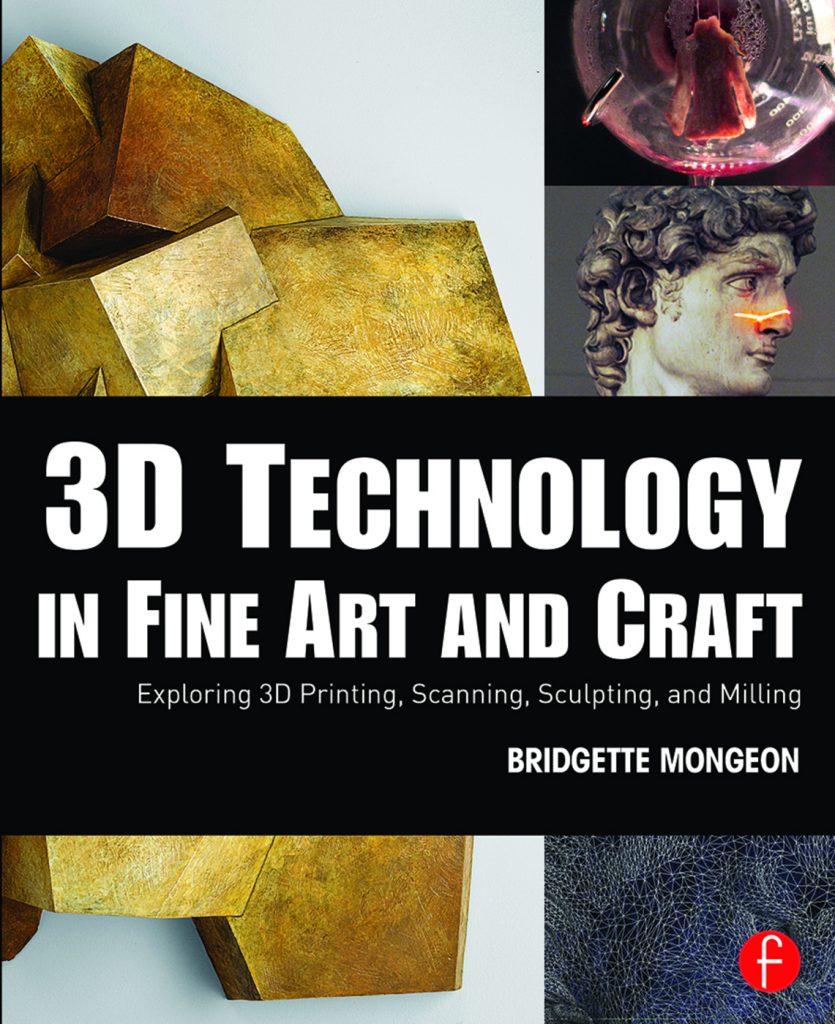
An author/artist is excited to search for artists and vendors using digital technology to create fine arts and crafts. Nearly ten years ago, Bridgette Mongeon created the first edition of “3D Technology in Fine Art and Craft: Exploring 3D Printing, Scanning, Sculpting, and Milling,” published by Focal Press—a division of Routledge/Taylor & Francis. What inspired her was the research she gathered while she created one of the first degrees in 3D technology in fine art. The author discovered through her journey that the transition between fine art and digital technology could be challenging. She found that her vendors would continually have to educate those in the arts about technology and possibilities. Mongeon wanted to provide a resource for her vendors to give to their clients, a book that would help creators understand the processes, the pitfalls, and the opportunities. Since its publication, academics have cited the book worldwide. She is now looking for artists and vendors to include in her new edition.
The 2015 edition was a milestone book that bridges the gap between high-quality gallery art and the technology used to create it. The author now begins the exhilarating journey of trying to find the best artists and vendors around the world who are pushing the limits. The term “art and technology” can encompass a great deal, and she narrows it down to these specialties— 3D printing, Computer Numerically Controlled (CNC) milling, laser cutting, digital sculpting, and 3D scanning. She appreciates and speaks on how art informs such disciplines as engineering and the sciences and would also consider including data as art, nature and art, the combination of science and fine art, and art and coding – especially if she finds artists that use these combined with a technology component.
Mongeon’s goal for the new edition is to find another 50 artists/vendors pushing the limits and being the best of the best. Artists must be willing to share their process, names of their software/vendors, etc. Though this is a second edition, the author/artist hopes people will continue seeking future editions to collect the art that the book features inside.
The first edition presented many artists making a difference in their field, such as:
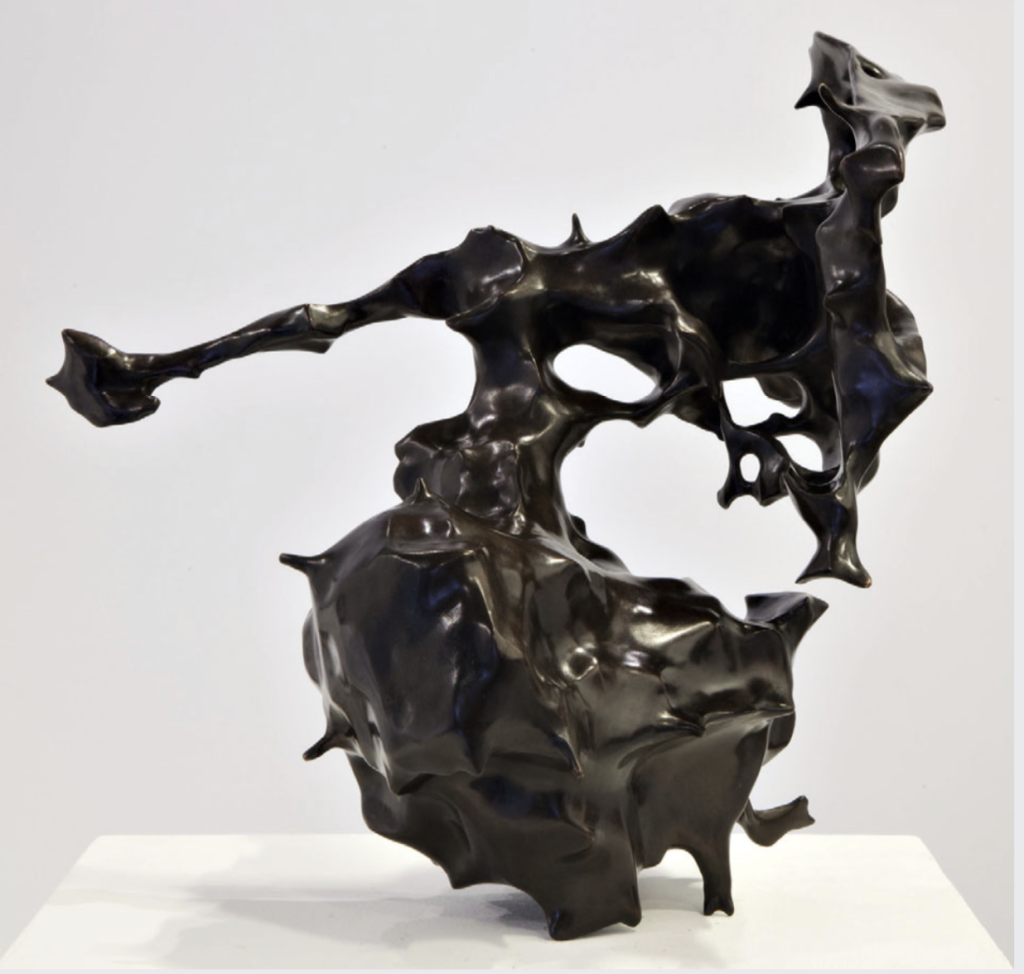
· Dutch artist Joris Laarman, who, at the time, created in collaboration with Autodesk using 3D printing in metal. Laarman is known for his incredible works like Dragon Bench or the bridge that 3D printed itself using robots.
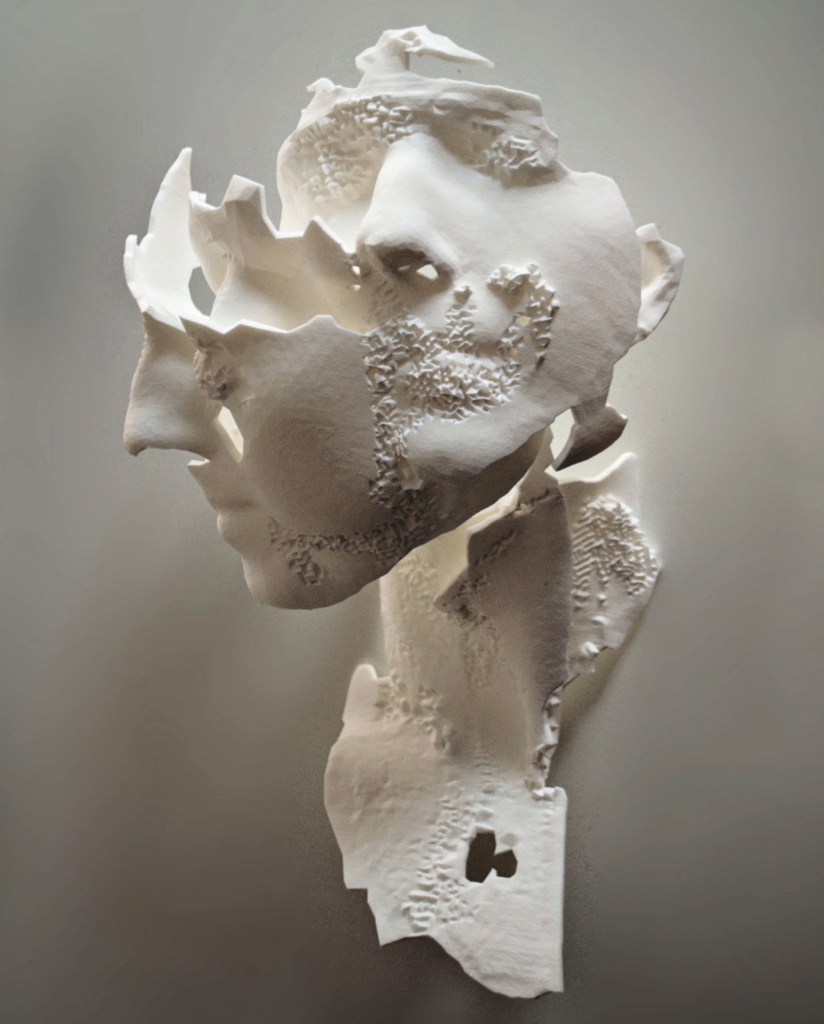
· Sophie Kahn led the way in 3D scanning as fine art. Kahn uses the “noise” or failure in 3D scanning to create works that look broken or fractured.
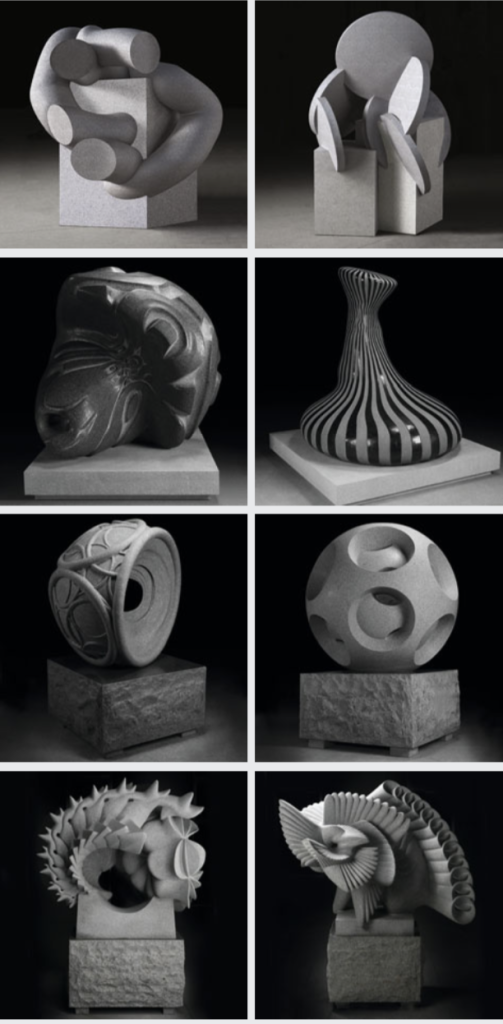
· The Digital Stone Project works with Garfagnana Innovazione in Tuscany, inviting artists to create using a CNC robotic arm and carving their designs in marble.
· Also featured was Factum Arte in Spain, with a “team of artists, technicians, and conservators dedicated to digital mediation.” Their contribution to the previous edition brought into the real world the work of Italian artist Giovanni Batista Piranesi from 1720 to 1778.
· 3D scanning offers us a great deal, not only in preserving our history but also in allowing others to experience it. The 2015 edition shared the digital preservation featuring the incredible work of CyArk, whose mission is to create “digital documentation of threatened ancient and historical architecture.”
· Artist Oron Catts piece Victimless Leather from the Tissue Culture and Art Project at SymbioticA captivated the author. The seeded coat of skin kept alive in an art museum brought to life how removed we are from those things happening in the laboratory. She hopes she finds more projects from SybmioticA at the University of Western Australia that has, “a new means of artistic inquiry where artists actively use the tools and technologies of science, not just to comment about them but also to explore their possibilities.”
· The mix of science and technology informs the onlooker. Artists can bring about profound changes with their art, as when Leonor Caraballo displayed her 3D-printed cancer in an art show. Then surgeon Alexander Swistel told the artist, “These tumors are saying something.” These processes and art featured in the book are interdisciplinary, working together to find new meaning.
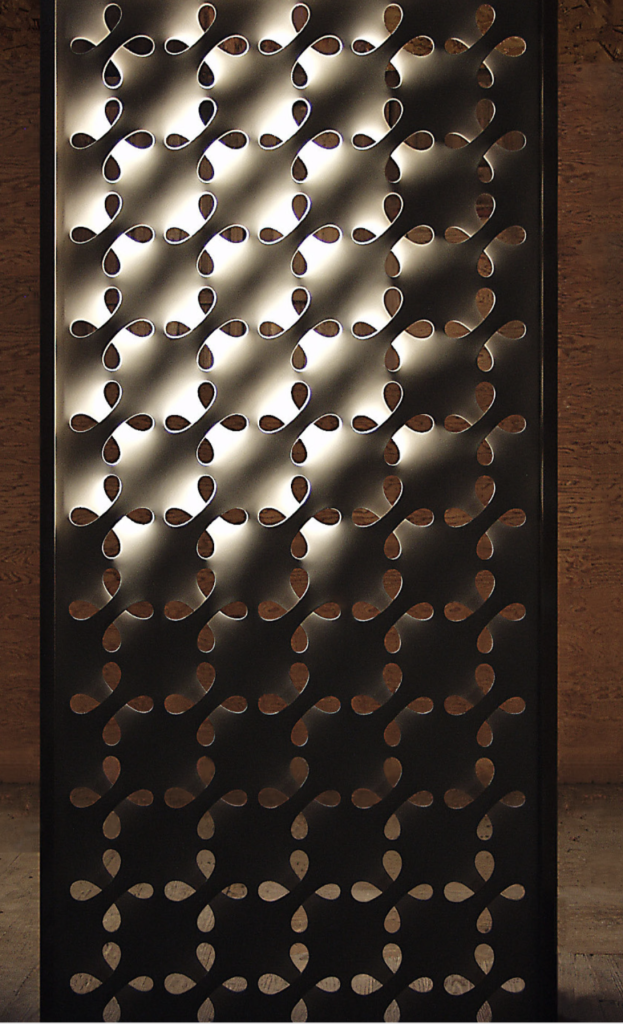
· In the 2008 SIGGRAPH gallery show (Special Interest Group on graphics and interactive techniques), Mongeon was captivated by the artwork of the legend Erwin Hauer. Hauer worked with Enrique Rosada to recreate Hauer’s looping panels of repeating shapes from the 50s using 3D tech technology.
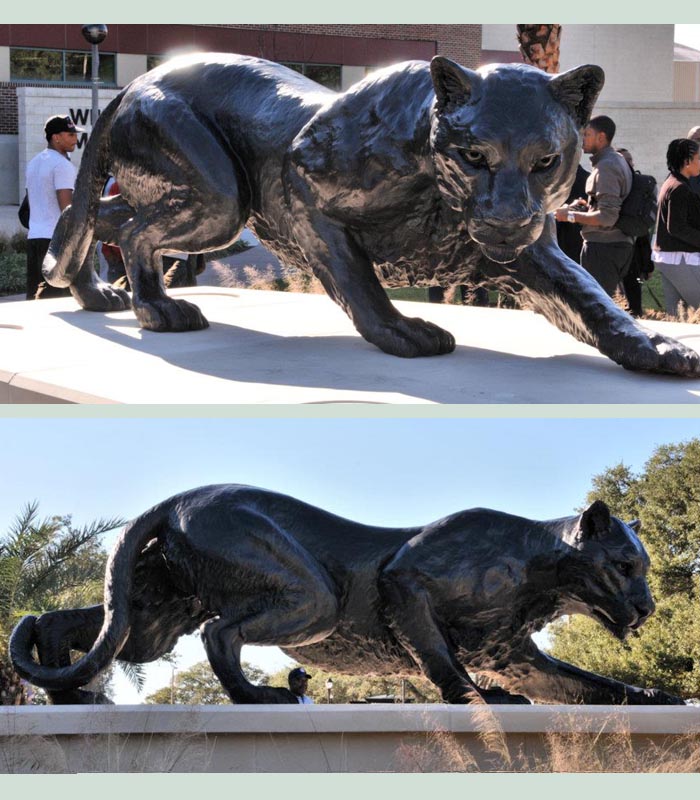
Mongeon also uses the disciplines found in her book in her sculpting studio to create commissions and monumental bronzes and consults with other artists to bring their work to life. In 2015, readers followed the creation of the monumental Grambling State Louisiana Tiger through 3D sculpting, scanning, milling, and bronze. In the new edition, they will follow her famous monumental sculpture of the Mad Hatter Tea Party, complete with 150 hidden things placed in honor of the 150th anniversary of the story.
It is not just the artists the author is looking for; it’s also the vendors supporting the artist in pushing the limits. Artists are good at thinking outside the box. Vendors that support these artists end up being collaborators in creating new possibilities.
For consideration of inclusion in the book Mongeon prefers people to tag her on the artwork they see on social media, https://www.instagram.com/bridgettemongeon , https://www.facebook.com/BridgetteMongeonSculptor/ or contact her through her website www.creativesculpture.com .She is excited to hear about those you suggest that she should feature, but does requests that those interested do not send images until chosen; please send only links to online photos.
The new edition of “3D Technology in Fine Art and Craft: Exploring 3D Printing, Scanning, Sculpting, and Milling” should be out in 2025/26; the previous edition is still available on Amazon.
# For more information on this press release please contact the artist
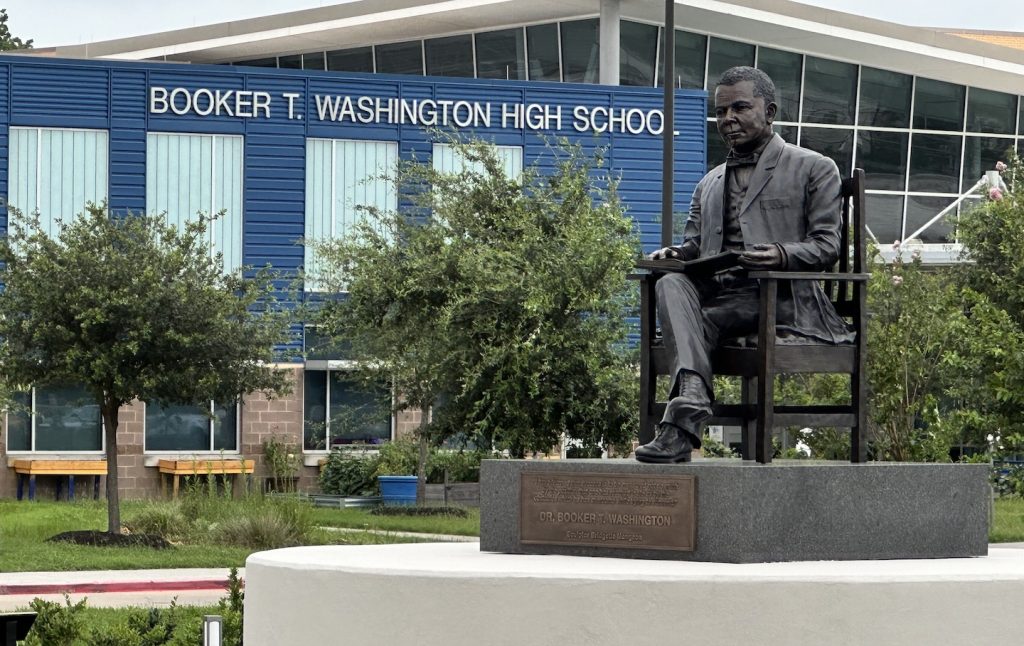
Houston’s New Booker T. Washington Sculpture
FOR IMMEDIATE RELEASE
A school in Houston Independent School District recently received a historical bronze sculpture, a testament to our community’s rich history and shared pride. Houston Sculptor Bridgette Mongeon, known for her Alice in Wonderland Sculpture in Evelyn’s Park, also has a trend of creating school mascots. Her collection includes the Grambling Tiger at Grambling University, the Prairie View Panther at Prairie View A&M, and a new sculpture of Carlson Tough at Tough Elementary for Conroe ISD, which she installed last December.

On May 18th, 2024, amidst the cleanup from the Houston storm, Mongeon added one more school sculpture to her list. This time, she celebrates in her neighborhood with the unveiling of “THE VISION” Community Statue Project featuring Booker T. Washington. Houston ISD states, “This sculpture is the third statue of an African American in the City of Houston, after Dr. Martin Luther King Jr. and former U.S. Rep. George Thomas “Mickey” Leland, and the first in the historically black neighborhood of Independence Heights.”
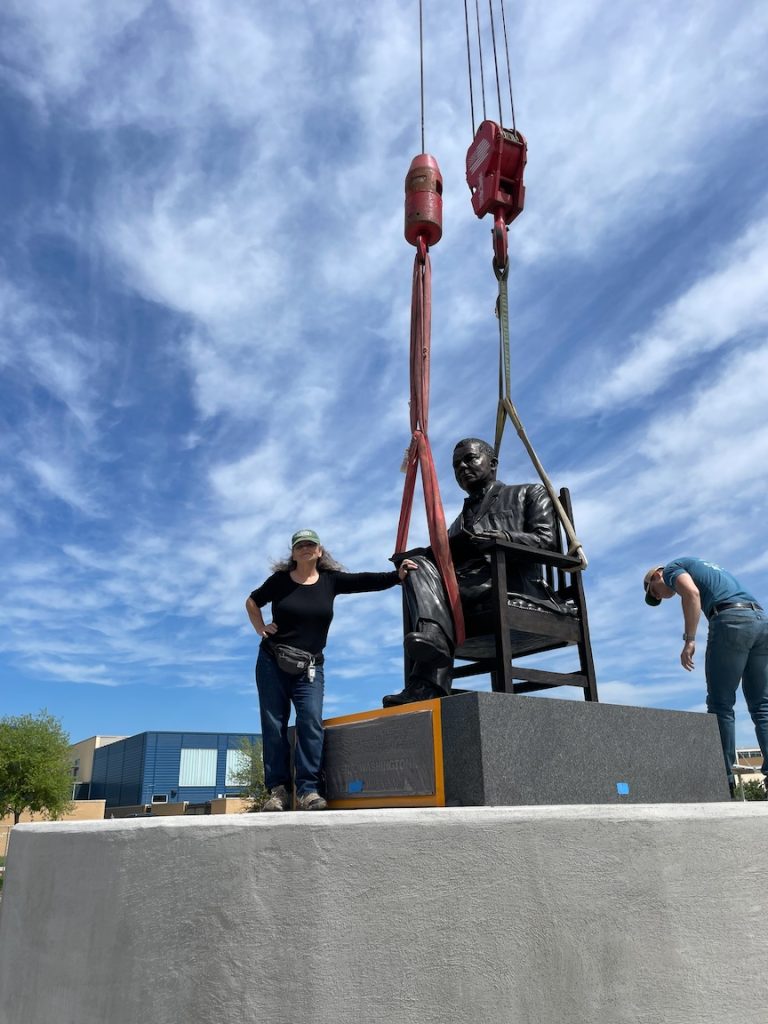
This eight-year project not only memorializes one of the most outstanding educators in African American history but also symbolizes the future of education. It is more than just a statue; it is a new park with a rocket and a wind turbine that provides electricity to the park, both of which are a part of the educational collaboration of the students at the first magnet school in Houston—Booker T. Washington High School and The School for Engineering Professions. This collaboration, with its STEAM focus, inspires us about the future of education and its impact on our community.
Mongeon fits right into this project as she has a heart for education, especially STEAM education. STEAM is an interdisciplinary education focusing on Science, Technology, Engineering, Art, and Math. She uses these in her art studio and even wrote a book about her work and those creating using STEAM worldwide. The book is titled “3D Technology in Fine Art and Craft: Exploring 3D Printing, Scanning, Sculpting and Milling.” She donated a copy of the book to the Booker T. Washington school library.
The unveiling celebration was a momentous occasion, made even more special by the presence of esteemed alums. The two oldest living graduates, Dr F.N. Williams, Sr., class of 1945, and Charlotte Kelly Bryant, Class of 1948, were given the honor of pulling the golden rope of the blue satin cover to reveal the statue.
This life-size-and-a-half bronze sculpture of a seated Booker T. Washington, legs crossed, sits dignified on a bronze period chair. His head raised, you expect him to begin speaking as his hand rests on his biography. The sculpture sits atop a tiered concrete plinth and large granite. The inscription on the bronze plaque attached to the dark grey granite displays a famous quote by Booker T Washington, “I have learned that success is to be measured not so much by the position that one has reached in life as by the obstacles which he has overcome while trying to succeed.”
A smaller plaque in front of the plinth reads, “Success always leaves footprints.” Another quote by Booker T. Washington. “Our most profound appreciation to all those whose footprints walked along with ours on this journey, especially:
The honorable Senfronia Thompson, BTW Class of 1957, The Honorable Sylvester Turner, The Honorable Sheila Jackson Lee, The honorable John Whitmire, and the Honorable Jarvis Johnson.”
Many notables were in attendance, and though Mayor Whitmire was busy tending to the city and all its needs, after the storm, he was there in spirit and attended the private viewing of the clay in the artist’s studio last year.
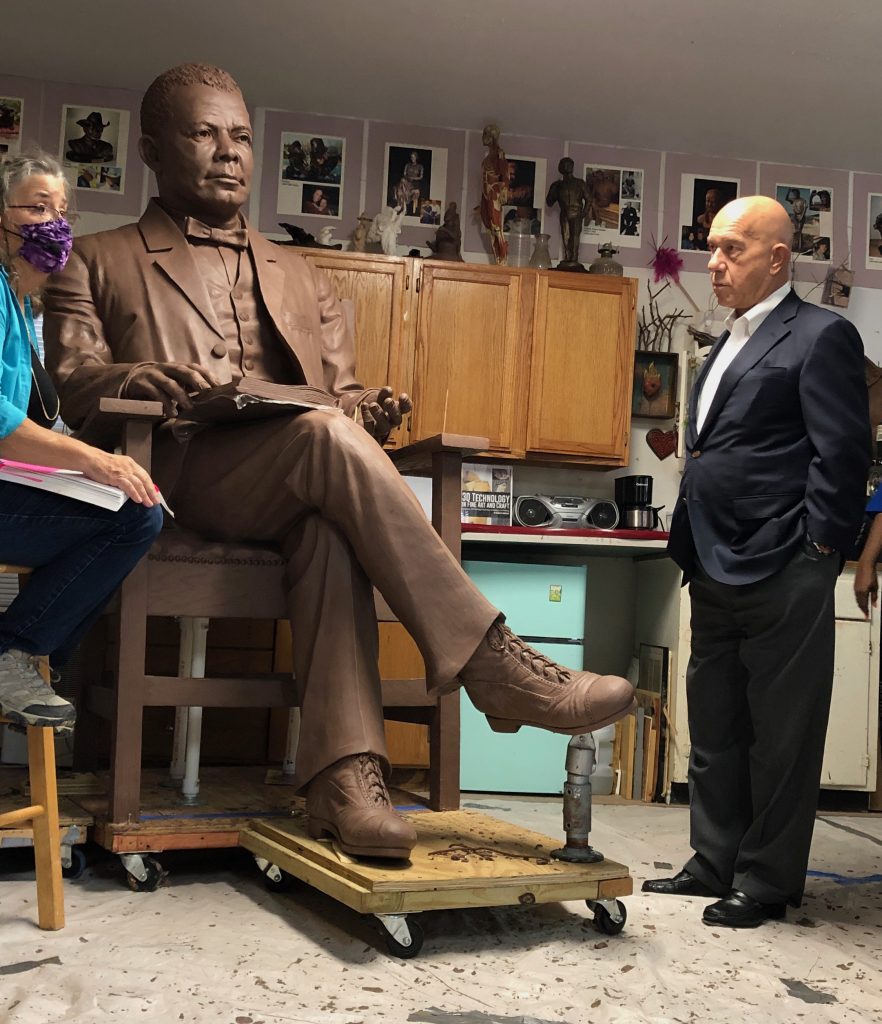
“This was a special project for me,” states the artist. “It is my neighborhood and so close that if I leave the doors of my studio open, I can hear the band play while I work.”
The sculpture, a symbol of the school’s rich history, now faces Yale Street on the fenced school property in Independence Heights. It is a center point to new amphitheater seating, where future generations will gather to learn and celebrate.
#
For more information about this press release or to receive permission from HISD to film on the property contact Jessica Brown or Bridgette Mongeon at 713-540-3201 or through email.
Educational Empowerment and Booker T. Washington
Booker T Washington, a true pioneer in education, took the reins of Tuskegee Normal and Industrial Institute in 1881. His focus on combining trades and academics was revolutionary for the time. The students even participated in the construction of the school, making education an interdisciplinary process. This learning style is a model that our schools today could greatly benefit from, as demonstrated by the innovative approach of Booker T. Washington High School and The High School for Engineering Professions. This Houston school focuses on STEAM/STEM education with an interdisciplinary approach that uses science, technology, engineering, art, and math. Created in 1974, The High School for Engineering Professions, located on the campus, was one of the city’s first magnet programs.
Imagine presenting education to a student in a subject that genuinely excites them. In this scenario, learning becomes a joyous journey, and school transforms into a place of fun and exploration. This is the transformative power of magnet school programs, a concept that has revolutionized the way we approach education. It offers a promising future for our students, where learning is not a chore but a source of joy and discovery.
The principal of the Booker T Washington School is Dr. Phillips. His philosophy is “to believe in the abundant opportunities that await each child that he comes in contact with daily and promote each child’s confidence level, morale, and academic abilities so that they can be equipped with the fundamental skills of basic intelligence, character, perseverance, and vigor. These essential skills are vital to help develop future men and women who will also contribute the same or greater service through their community living by collaboratively working with one another with genuine effort to continue to protect and enrich the lives of our most precious gems; our children.”
When Booker T Washington High School decided to create the space and a place to have a monumental sculpture of Booker T Washington placed on the campus property, there was much anticipation, excitement, and honor. Sculptor Bridgette Mongeon appreciated the subject and what he stands for in the scope of education. This monumental sculpture of Booker T Washington, a great man in the history of education, holds a significant place on this school campus, symbolizing the school’s unwavering commitment to his educational principles and its rich educational heritage, ensuring the continuity of his legacy.
Sculptor Bridgette Mongeon and her team hope to share the excitement and inspiration of Booker T. Washington further. The bronze sculpture is a limited edition of ten. The artist is now searching for other locations to place this great legend. They offer the opportunity for others to enrich their school, park, or company with this iconic figure.
A Family of Speakers
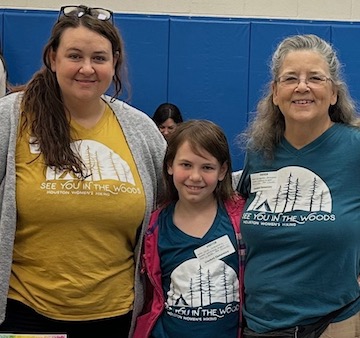
Speaker Sheet- Three Generations of Writers
There are a lot of exciting things happening in my life. One big one is in this post. Somehow, this year, the lives of my daughter, granddaughter, and myself have converged, and we have all published books and are doing speaking gigs together. The venues range from conferences, women’s groups to literary evenings. Chris and I also love doing workshops. Here is a bit about the three of us and our specialties.
If you are interested in having us come to your school fair, women’s group, convention, let us know what mix of speakers you would like. Be a part of a special event where three generations of female writers, who are passionate about creativity, outdoor activities, and Texas State Parks, come together. We value your input. Let us know if you’d like us to mix and match our presentations or if you prefer us to present as a family. Have one come or all three.
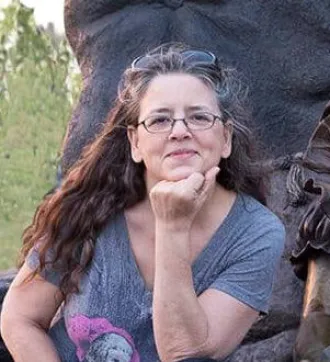
Bridgette Mongeon
Mom and Grandma
Bridgette is a well-known master sculptor, writer, and speaker. She is also the admin and creator of Houston Women’s Hiking, an outdoor group that inspires and encourages women, with over 17,000 women strong. When she is not creating, she is in the woods. Bridgette has a new memoir coming out in Fall of 2024 titled “One Foot In Front Of The Other: Art, Hiking, and Healing” Publisher—Market Creativity. She also contributes to Issa’s book “See You In the Woods: Fun Adventures for Kids,” as well as the author of “3D Technology in Fine Art and Craft: Exploring 3D Printing, Scanning, Sculpting, and Milling,” Publisher—Elsevier. For a complete list of publications, visit her website. There are numerous podcasts, television coverage and other media featuring Bridgette that are also listed on her website. Also Follow her on Instagram @Bridgette Mongeon.
Topics: Sculpting, Marketing in the Arts, Creativity, Sculpting the deceased, Outdoors, Houston Women’s Hiking, Emotional health, STEAM and STEM education, Empowering Women, Lewis Carroll and Alice In Wonderland, Emotional Health for Children.
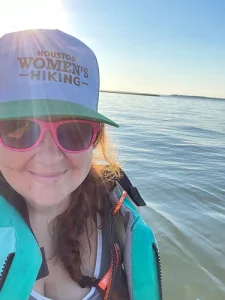
Christina (Chris) Sizemore
Daughter & Mother
Chris is a writer, marketing guru and designer. She owns and operates Market Creativity, a marketing agency specializing in branding and brand communication. She is the writer and creator of Texas State Parks Journal: An Interactive Record of Your Journey Through Texas State Parks and Hiking Journal: Track How Far You’ve Come.
Chris is an ambassador for our Texas State Parks and all outdoor spaces. She enjoys encouraging others to preserve our beautiful world and loves to talk about the influence of women on nature and our Texas State Park. Christina is the coadmin of Houston Women’s Hiking. When she is not outdoors, she works creatively through her marketing company. She and her family are a Kids Who Explore Explor Family and she is an executive team member of Houston Moms.
Inspiring others into emotional health is also a part of her journey. She writes about these topics and more on her blog www.StrogerThanFire.com and her podcast Stronger Than. You can find her on Instagram at @StrongerThanFire.
She was also cohost of Inspirations Generation Podcast with her mom and grandmother 2012-2018.
Topics: Outdoors, Marketing, Emotional health, Women in conservation and state parks
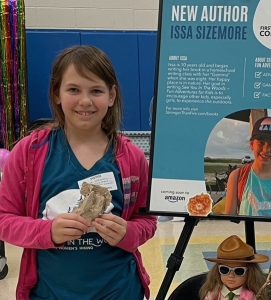
Issa Sizemore
Daughter & Granddaughter
Author of the up-and-coming book See You In the Woods: Fun Adventures for Kids, which she completed in 2023 at the age of 10 and is currently being illustrated by her mom Chris. Issa has been working on her book for three years with her grandma, Bridgette Mongeon, as part of her home-schooling. She is a science nerd and hopes to be a marine biologist when she grows up. Her family has a goal to camp in all 89 Texas State Parks. On her family camping adventures, she has had some incredible experiences. She shares her stories of travels, adventures, and activities with readers when she speaks. Her book will be out on Amazon in Fall 2024.
With her lectures, she brings a table full of nature and science examples to share with attendees.
Topics: Outdoor Activities, Literature for kids, Writing activities for children, Nature, Science
Fill out our contact form and tell us about your meeting, convention or conference. We would love to be a part of your learning and inspiration.
Coulson Tough Sculpture for the Woodlands and Possibly Galveston?
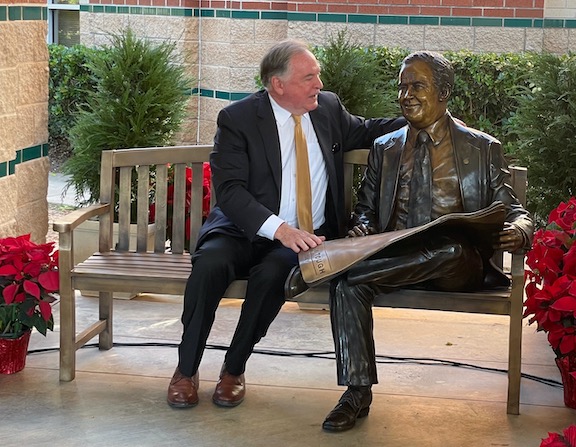
This past year, I had the honor of sculpting an incredible man. The connection to this commission spans 30 years. Here is my back story. At the beginning of my sculpting career, I had a fabulous idea. The Historical Strand in Galveston was going through some beautiful restoration and renovation, and I had the notion to create a series of bronze figures in costumes of the 1880s. I wanted to pitch it to Mr. Mitchel, a philanthropist and investor in the strand, and see if he would be interested. He was already instrumental in bringing art to The Woodlands, a community north of Houston. I could see bronze children playing hoop and stick, ladies walking in bustle skirts, and men wearing top hats. I imagined the corners of streets with bronze people so that visitors could interact with them, and that also would be a sort of intriguing artistic directional system to lead tourists to destinations.
I love Galveston. It speaks to me. The connection began the first time I visited. So, mustering up all the hutzpah I needed, I contacted George Mitchell about the possible opportunity to do these bronzes. I knew he was doing a lot with art in The Woodlands. I had hoped the trend would continue in Galveston, and I began correspondence with Coulson Tough about this idea. Cleaning out years of art paperwork recently, I found my original correspondence with Mr. Tough from 1992.
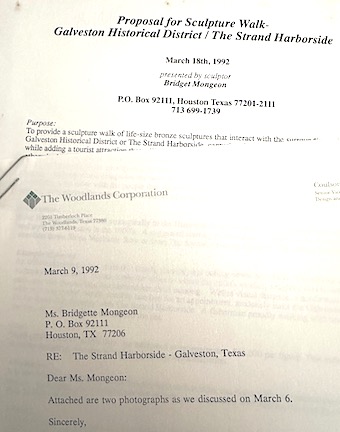
Mr. Tough was a creative person in his own right as an architect and visionary, working in development alongside Mr. Mitchell. He joined forces with Mitchell in 1973, working on The Strand in Galveston and The Woodlands.
Outdoor art is everywhere in the Woodlands. There is a collection of over 86 public art pieces. It proudly stands as the largest public art collection in Texas.
I’m intrigued by the history and structure of The Outdoor Sculpture Project and the Woodlands Public Art program. Early in my career, it was interesting how many cities, like the Woodlands, have adopted a ‘percent for art’ program. This innovative approach involves imposing a fee on large developments, which they then used to creating public art.
A 2023 article in Paper City states, “The Howard Hughes Corporation’s vast Art Fund and The Woodlands Arts Council keep that drive going. “The Howard Hughes’ Art Fund is a major driver behind the public art in The Woodlands, particularly the larger pieces. The Art Fund was created in 1973 by community leader Coulson Tough under the direction of the founder of The Woodlands, George Mitchell.”
The Woodlands is about 45 minutes north of my home and art studio. I have seen events at the Cynthia Woods Mitchell Pavilion, one of over one hundred projects created through Coulson Tough’s influences. I mostly love to kayak Lake Woodlands, including visiting the one piece of art in the water—the 35-foot-long steel sculpture Rise of The Midgard Serpent by Marc Rosenthal.
I was so excited about the possible Galveston bronze idea all those years ago, but as I pursued it, the prospect of it fizzled out. But my connection to the Woodlands and Tough appeared in a recent commission.
In 2022, just after the death of Coulson Tough, The Howard Hughes Corporation and Kinzelman Art Consulting contacted me about creating a sculpture of the beloved man. The Woodlands honored the community leader by naming Tough Elementary after him. The school was the intended spot for my sculpture of this man of influence. I feel honored to not only have a sculpture in The Woodlands but for it to be of the man who brought all the incredible art to the area.
I learned a lot about Mr. Tough while creating the sculpture and shared it with the kids at the school. His mark is all over southern Texas, from The San Louis Hotel in Galveston, Texas, to the A&M campus in Galveston and the University of Houston.
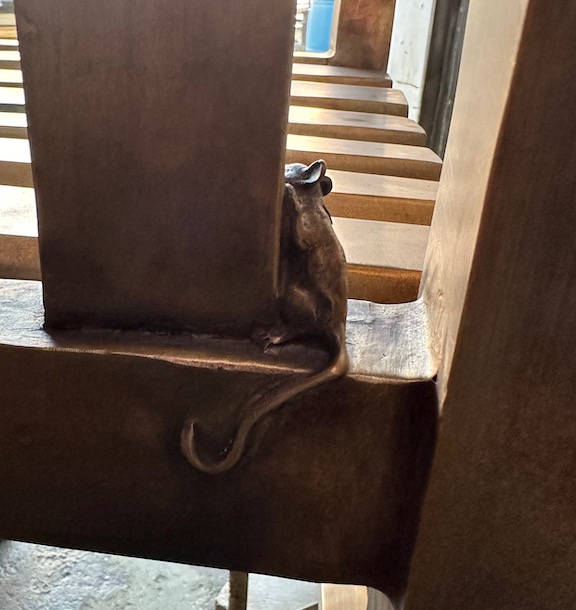
The sculpture is of Mr. Tough sitting on a large bench with plenty of place for visitors. It appears to be a blueprint in his lap, but instead of drafting, there are images and a list of some of his projects. His hand rests on the blueprint as he looks into the distance, reflecting on his contribution and community. The children can bring paper and pencil and rub the images, transferring them to their own paper. With permission from the family, I hid some things in the sculpture. I love that the children at Tough Elementary can learn about the man as they explore.
The unveiling of this sculpture was in December 2023. Many were in attendance, including his son and grandchildren. I may have seen a tear or two.
I never got to create my bronze historical figures in Galveston, but I sure wish someone would pay me to cast a second in the edition of Mr. Tough so we could put him down in Galveston. I think he belongs there as well.
I am so proud to add this one to my collection of art created for schools, to have worked with Mr. Tough—posthumously, and to be a part of The Woodlands art. I have the best job in the world. I get to celebrate a life remembered.