
Posts by Bridgette
The Most Useful Free Program For The Mac!
I love this program. I use it when creating in many different ways. Sure, some programs try to replicate this, but frankly this is much easier to use. What is it? It is called PhotoStickies. I’m including the description from the devon-technologies website Here is my quick description. A program that allows you to display photographs on your desktop. It also allows you to quickly change size and even opacity. What does that mean? If I am working in Zbrush or Mudbox and I want to be able to see the reference photographs of someone or something as I am working on them or If I want to have a variety of photographs up at one time. I can do this with PhotoStickies. And I can change the opacity of the photograph, bring it to the front and place it right over my work area of another program! Just in case I’m checking my accuracy. Amazing. https://www.macupdate.com/app/mac/9324/photostickies
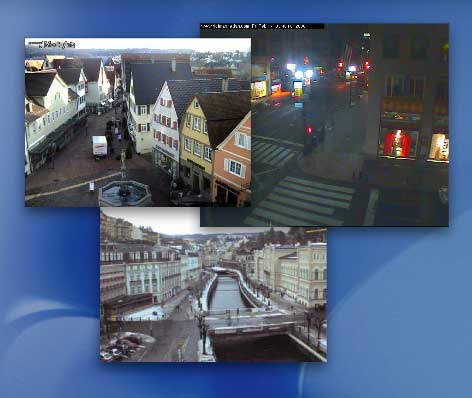
PhotoStickies
PhotoStickiesPhotoStickies gives you unique access to your favorite pictures. Use PhotoStickies to put all your favorite pictures on your desktop in the form of floating (even borderless) stickies. You may pull pictures for these stickies from your hard drive, or the Internet. PhotoStickies also displays webcam images live on your desktop, updating them automatically. You can even use PhotoStickies to record web cams for later viewing, or make a web cam your desktop picture.
Highlights:
* Displays all image formats supported by Mac OS X
* Displays images from your hard drive or the web
* Shows images as stickies or as your desktop wallpaper
* Edit images using live effects, like transparency or color correction
* Record streaming webcam images for later viewing
* Discover new places with an Internet-based list of webcams
* Can run as a menu extra
How to Prepare For A Writers Conference
Anyone who knows me knows that I have never been shy about meeting people. When it comes to sculpting, I’m not shy or intimidated about showing my work, but a writers conference opens up a different ball game!
Most conferences offer opportunities for individuals to have their work critiqued or even to sign up for consultations with agents, or publishers. To take full advantage of the money that you are spending at a conference, I would assume that you should also jump over this cliff. There is no fear there, right?
So I could not help but wonder, How do I prepare?
Searching online I found a couple of helpful articles.
In A way with Word Writing blog Rene Gray Wilburn offers suggestions in her article Preparing for a Writer’s Conference.
Of course some of the items in this article seem simple enough. Research the publishers, editors and authors who will be present. I would like to do this, and if possible interview a couple of them for the online creative Christians podcast before the workshop.
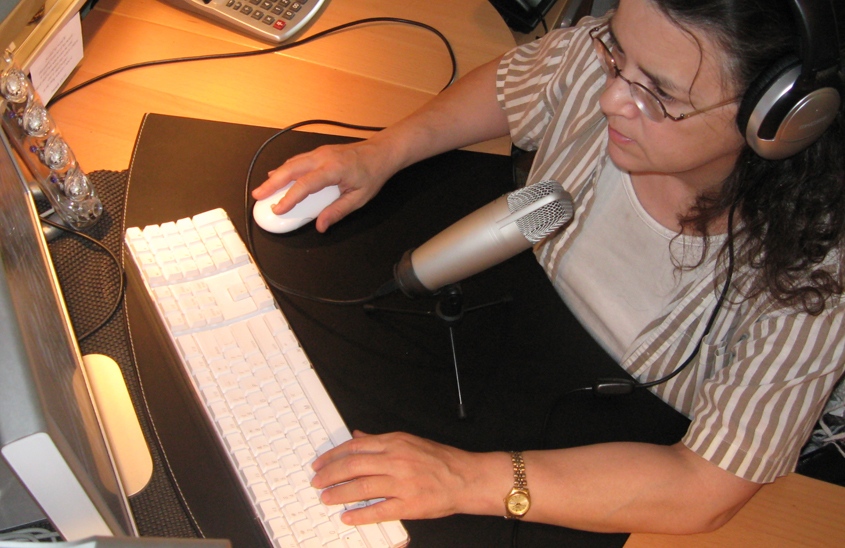
Interviewing a publisher, especially a Christian publisher, as well as an agent is something that I have wanted to do for my podcast. For those of you who don’t know I have been podcasting since 2008. I have an inspirational podcast. I also recently developed and we a Creative Christians podcast where we interview people about the subject of Creativity. We have had some great names on the podcast Author of The love Languages books, Dr. Gary Chapman, Billy Graham’s Daughter, Ruth Graham, Olympic gold metal winner and author, Scott Hamilton and just recently conducted a podcast all the way to Taize France. There are, of course, many more influential and not so influential, but very inspirational guests. For a complete list, you can find them at my collectibles website. God’s Word Collectibles is the sponsor of the podcast.
Digging a little deeper, I found this article written by Ginny Wiehardt about Conference pitches as she interviews an Editorial Director of Random House children’s books.
So it is on. I have almost two months to prepare for my first writers conference. Here we go.
My goals
1. Write 2-3 pitches. This is also called the “Elevator pitch.”
2. Memorize this pitch and practice giving it.
3. Create a one sheet
4. Research publishers and editors, and if possible interview them.
5. Create thank you cards for those that I meet. Have them ready for my return.
Attending My First Writer’s Conference
I’m planning on attending my first writer’s conference. The C.S. Lewis Retreat and Writers Conference is Thursday October 28, 2010 at Camp Allen in Navasota, Texas.
Most people know me as a sculptor or speaker. Some know me as a writer for magazines. I have written nonfiction for nearly 25 years. In 2004, I assisted Mike de la Flor on his book, The Biomedical Digital Illustration Handbook. I enjoyed writing the chapters on the schools, education and professionals in the industry. This past year Mike and I worked on a book together, Digital Sculpting in Mudbox: Essential Tools and Techniques.
Fiction book writing is, however, a new journey for me. But over the years, secretly I have been writing other things as well. I have numerous children’s books that I have written. I have often described myself as a mix of Dr. Suess, Shel Silversteine and Jim Hanson. I like nonsensical fun children’s stories, but often they come with a lesson. Usually with a more educational, psychological or spiritual lesson.
And this past year and a half I have been working on two young adult novels.
As part of this new journey and commitment, I have done the following
If I was asked, who I’d like to have been.
I’d aspire to be Shel Silverstein….
Mixed with another I could deduce
A helping smidgen of Dr. Seuss
Educating children would be sweet
I wish I’d created Sesame Street.
So truly if asked who I’d like to have been
My reply would then be seussyhensstein.
- Committed to writing 20-30 minutes every day- For the most part, I write much more than that, but I have been trying commit that much time to the novels and creative writing.
- Joined the Society of Children’s Book Writers and Illustrators organization. I have been trying to attend as many meetings as possible. http://www.scbwi-houston.org
- I’m also working on illustrating my own children’s books. This I feel, is the biggest hindrance to me submitting the works. I am, after all, an artist. It is difficult for me to let someone else illustrate them.
The results of my first two commitments lead into this next commitment- Attend writers conferences.
Our first writer’s conference was the ApalloCon Houston. It is a science fiction, fantasy and horror conference.
We were invited by a friend, Marilyn Schindler Carren. Her husband, a screenwriter, was on a panel at the conference. My husband has always wanted to write science fiction. Attending was something we could do together. It was also an exploration into a new, creative direction.
The C.S. Lewis writer’s conference seems like a good fit for me. For one thing, I like C.S. Lewis. To me, the name stands for someone who has an imagination, who can think outside of the box, and who is willing to entertain “different” ideas. That is a good fit for the most recent novel, as it is quite edgy.
Now, on to figure out how to prepare for this conference.
A Free Digital Sculpting Program
A new program called Sculptris is available. Sculptris 1.0 for free download.
Though this article on Pixologic’s website states that they acquired Sculptris and it will be known as Sculptris Alpha 5. I can’t help but wonder why this was purchased by Pixologic. Was it to stop competition?The creator Tomas Petterson is relocating to California from Sweden. This can only mean advancements in the upcoming versions of Z brush. How far can this program go? Looking at the way Sculptris works as compared to Zbrush has peeked my interest. I’m a traditional sculptor. I don’t want to have to worry about zspheres or such. I just want to take clay and sculpt. Zbrush can be frustrating in this area. Even with the newest upgrade I thought, Oh yes, now mannequins I can pose and then I can get right into the sculpting. They are not as easy as taking a lump of clay and sculpting. Though the digital world has spoiled me. I want to be able to sculpt symmetrically on my posed figure. It will be interesting to see how Zbrush changes and what this brings to the table at Pixologic
This is a Windows application only
UPDATE 2020 Sculptris is now owned by pixologic. It is still free.
Pixologic Now Has A New Set Of Videos For Zclassroom
As a sculptor the digital technology is important to me. Expanding my horizons with digital sculpting as well as traditional sculpting. In this link you will find some educational videos on the new part of zbrush4.0 called Spotlights. Very exciting.
This Is One Of My Favorite Things In The New Zbrush 4- So Exciting
Finally! instead of having to create your own zsphere people to work with, in Zbrush, you now have mannequins. and not just adult women but children and animals. There are also actual scenes that you can work with. check out the video
New Features in Zbrush 4
More information on the zbrush 4
A link to Pixologic and the z brush4 Overview
A link to Sculpting and Productivity
How about a Paint & Show
And finally a Feature List. There are a bunch of videos on this page.
We are all anxiously awaiting our e mails for the updated version to arrive.
Wonderful Resource From Goddard
Wonderful resource from Goddard and the Transformative Language Arts Concentration of Individualized MA program. Tons of links on great stuff.
A Pdf On The Upcoming Classes, For Distribution
Here is a pdf about the up coming classes. If you live in the Houston area and can help distribute this by printing it out and hanging it in-
- Grocery store
- library
- community center
- local eatery
- art store
- craft store
- church
- etc.
I would greatly appreciate it.
It is a replication of what is in the post below.
New Zbrush 4.0 Is Coming Out On Monday!
Free upgrade to Zbrush 4.0. Yes, it is like Christmas. What is new? Looks like a lot. Plus Mac and PC version are finally caught up. That means for this Mac User I’ll get zsketch. I can hardly wait. Here are some videos to let you know what the new Zbrush can do. Of course it can do all of the other things that it used to do. Here is a video preview of Lightbox. Looks like some fun stuff. I can hardly wait to play with this.
- For those who don’t know about sketching with zspheres.
- This video has been out a while. It is on Zbrush4 beta
- And of course the PC users will have what the Mac users have had. GOZ
- If you want to know the new upgrade schedule here is a link on the Pixologic site.